Chart your course
How to Use a VHF Radio: A Beginner's Guide
Quick answer
The short version
To use a marine VHF radio, turn it on, then pick a channel with the channel selector. Adjust squelch by turning it down until you hear static, then back up just until the static stops; that mutes background hiss without blocking a real signal. Press and hold the push-to-talk button on the microphone to speak, and release it to listen, since VHF is simplex and only one person on a channel can transmit at a time. Choose low power for a call close by and high power when you actually need the extra range. Underway, leave the set tuned to channel 16, the channel everyone else with a set on is listening to. Real range comes mainly from antenna height, not how loud you transmit.
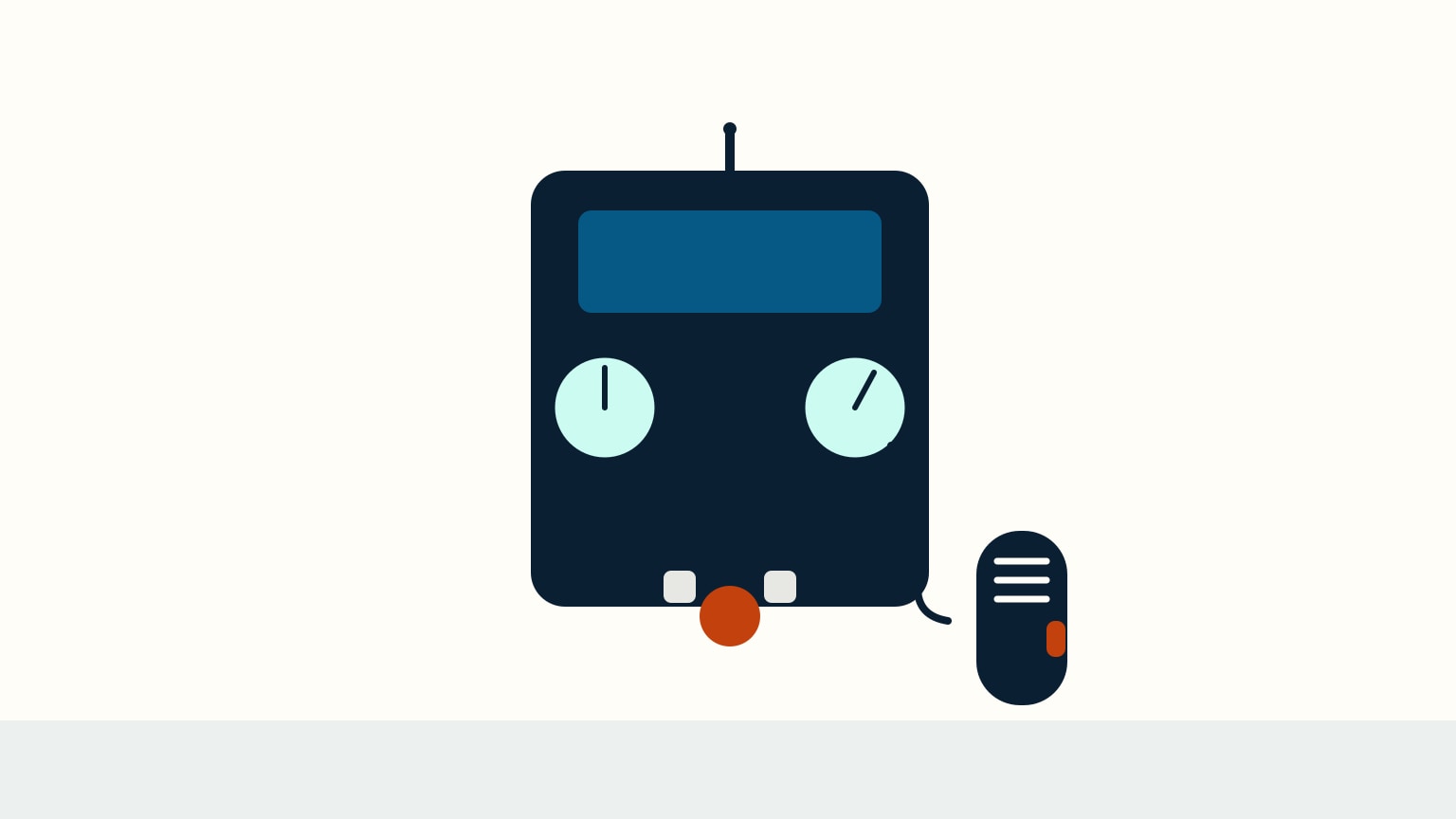
A marine VHF radio looks simple (a speaker, a few knobs, a microphone on a coiled cord) but each control does a specific job, and getting them right is what makes a transmission actually work. Unlike a phone call, a VHF conversation is public: everyone tuned to your channel hears it, so operating the set cleanly matters to more than just you. This guide walks through the physical sequence a first-time user actually needs: turning the set on and taming background noise, keying the microphone correctly, choosing how much power to send a call with, and understanding what really decides how far your voice travels. None of it requires special equipment, just knowing what each control is for.
Power On and Set Squelch First
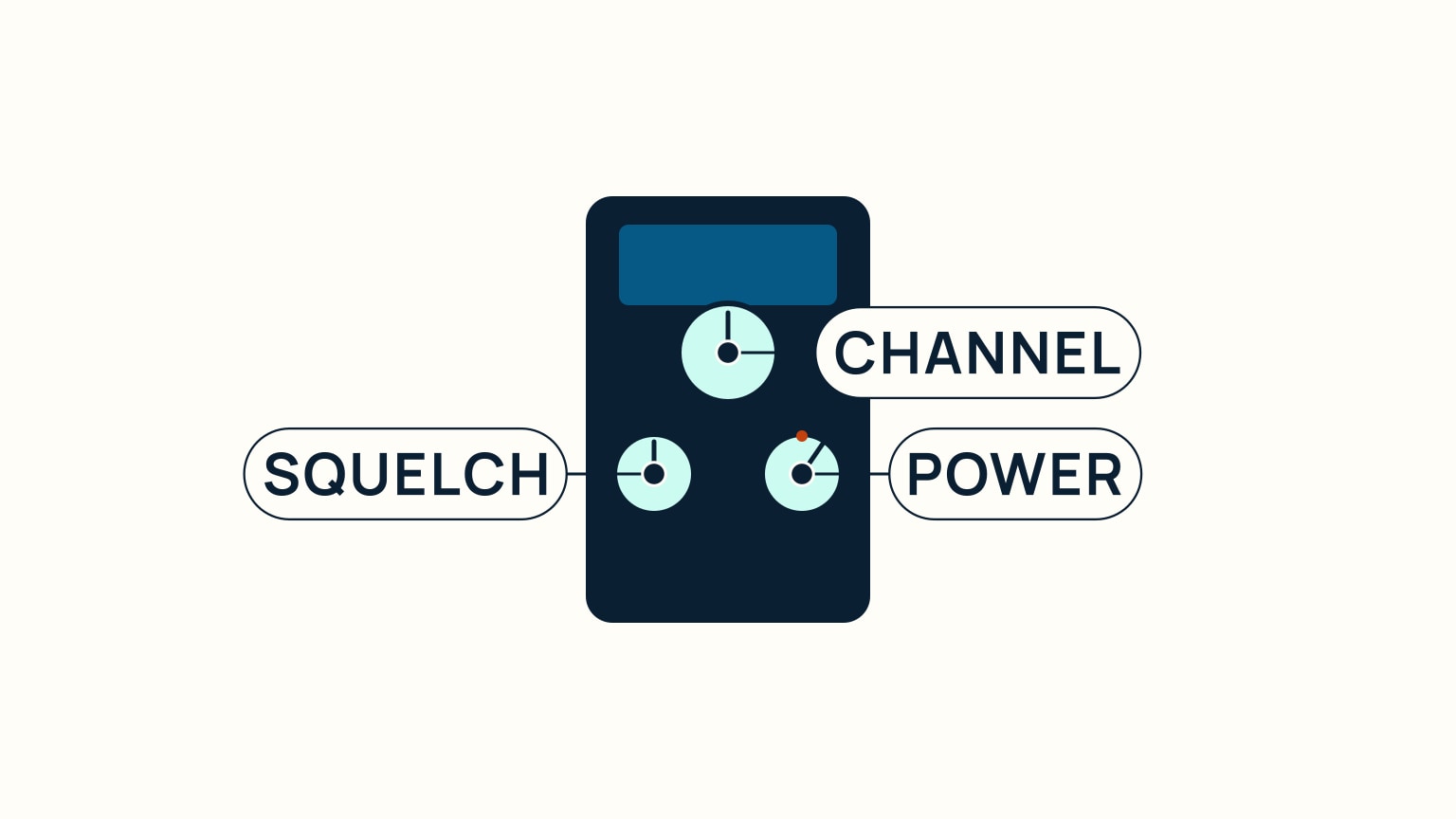
Turning the set on is the easy part; what you do right after is what actually makes it work. A channel selector (a knob, or a pair of buttons) chooses which channel you transmit and receive on. Before you talk, deal with squelch: it is a noise threshold, not a volume control. Turn it down until you hear steady static, then turn it back up just until that static disappears, and stop there. Push it further than that and you are not tuning in more distant stations. You are muting them, since squelch only decides whether a signal gets through at all, not how loud it sounds once it does. That trips up plenty of first-time users, who assume a wide-open squelch means better reception when it does the opposite.
The Squelch Mistake That Never Announces Itself
Squelch set too high does not sound broken. The set stays quiet, which feels like a good outcome if you do not know what quiet actually means here. What is really happening is that a weak or distant signal never gets loud enough to cross the threshold you have set, so it never reaches the speaker at all. You will not hear static, and you will not hear the call you were supposed to catch either. The fix is the same three-step routine every time: turn squelch down until you hear hiss, then back up just until it stops, and leave it there. If you find yourself nudging squelch up "to hear better" during a session, that instinct is backward. Turn it down instead, confirm you are just past the hiss, and trust the setting rather than fighting it.
Key the Mic: Press, Speak, Release
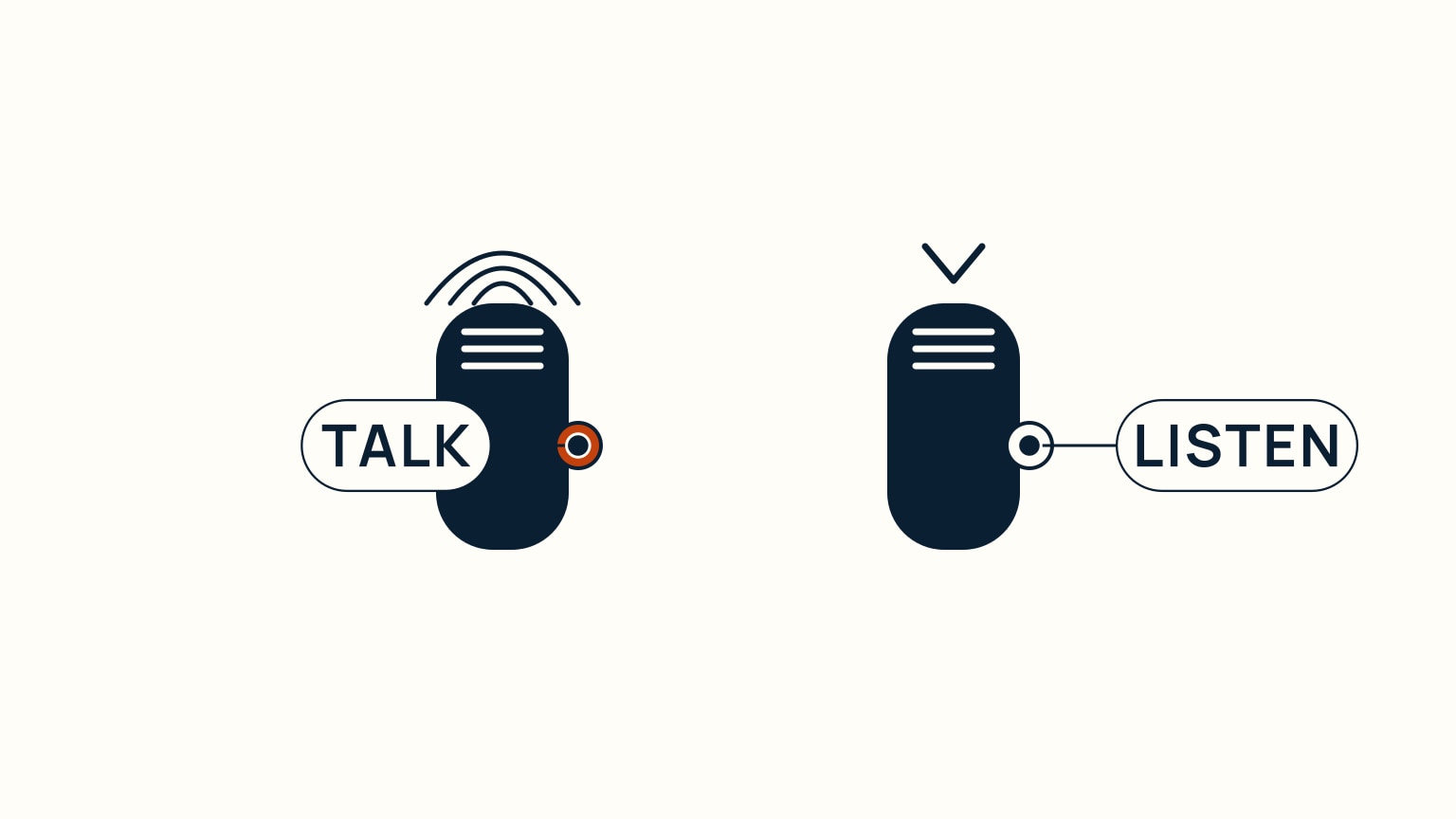
To transmit, hold down the push-to-talk button on the handheld microphone and speak while it is pressed; release it the moment you are done. VHF is simplex, meaning only one person on a channel can transmit at a time: while your thumb is on the button, you cannot hear anything back, even if someone is already replying. Holding the button down "to wait for a reply" only blocks the channel and your own ability to hear it. The rhythm to build is press, speak, release, listen: a short pause before you key up again gives anyone else on a shared channel a chance to get a word in. That discipline matters beyond just the two of you: keying up briefly and releasing promptly keeps the channel free for the next call, including one that genuinely cannot wait.
A Habit Worth Building Before You Need It
New users often rehearse the words they want to say but not the button discipline around them, and the button discipline is what actually goes wrong first. Practise the sequence on a quiet channel before you ever need to make a real call: press, say your piece in one clean breath, release, wait. If you catch yourself keying up again before the other station has had a real chance to answer, you are crowding the channel the same way as someone who holds the button down the whole time. The channel only works because everyone releases it promptly. Build that habit on routine calls and it will already be automatic the day a call actually matters.
Choose Low Power for Close Calls, High Power for Distance
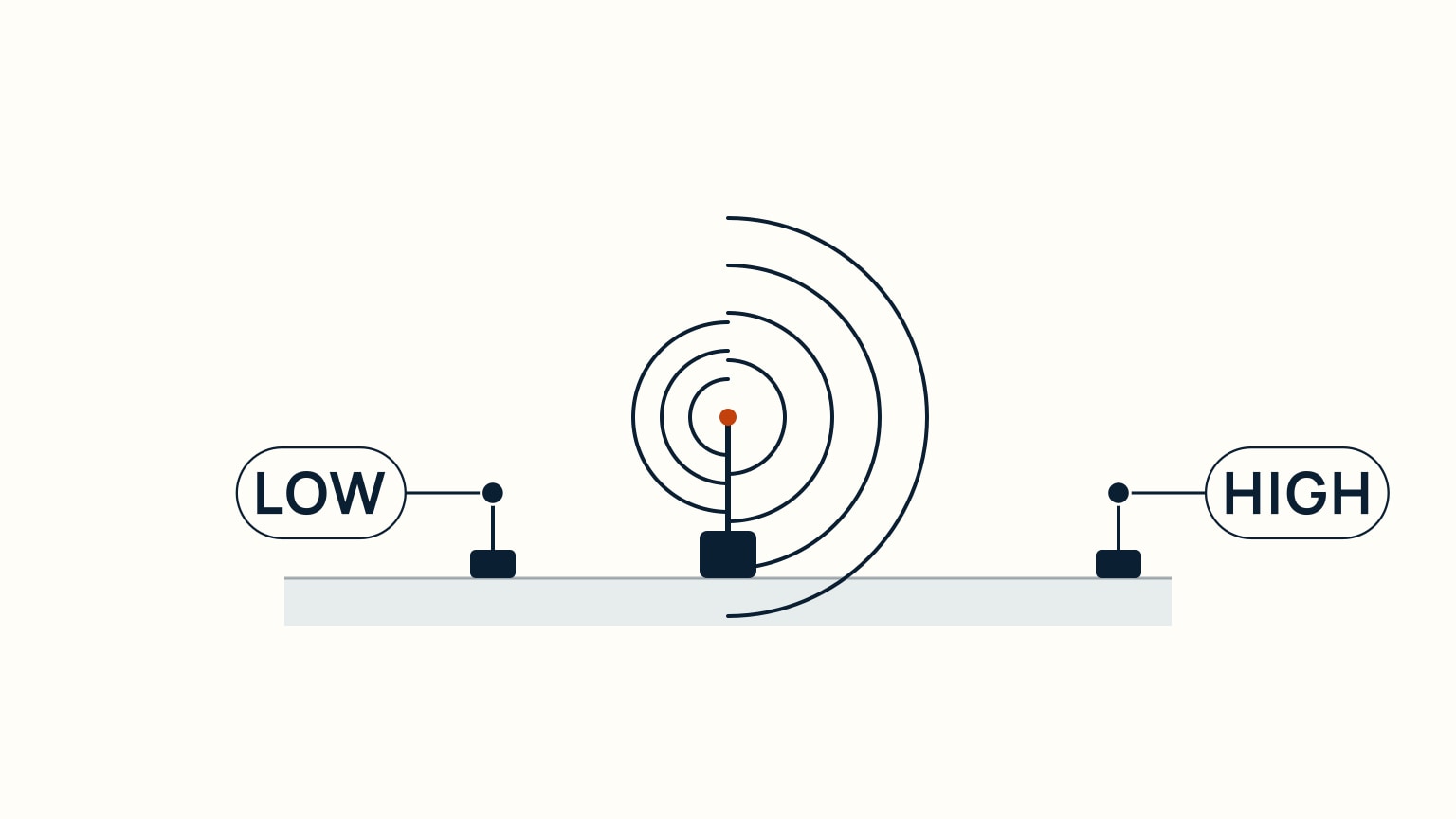
A dedicated switch trades range for restraint: low power (about 1 watt) keeps a transmission short-range, while high power (up to 25 watts on a fixed set, roughly 1-6 watts on a handheld) pushes it much farther. If you are calling a boat or a marina office nearby, switch to low: the call does not need to travel far, so there is no reason to send it any farther than that. Save high power for a call that genuinely needs to travel, whether that means reaching a boat well down the coast or a shore station out of easy range. Matching power to distance, the same way you would lower your voice for someone standing right beside you, is a habit worth building early.
Fixed Set or Handheld: Different Numbers, Same Habit
The two kinds of set do not top out at the same range, and it helps to know roughly what each one can actually do. A handheld's low setting (about 1 watt) is really a harbor-distance tool, good for a few hundred yards. Step a handheld up to 5 watts and you can reach out to somewhere around 12 miles in good conditions; a 6-watt handheld can stretch to about 20 miles. A fixed set at its full 25 watts goes further still, especially with a masthead antenna behind it. None of that changes the habit: match the power you send to the distance the call actually needs, whichever set is in your hand.
Understand Real Range and Stay on Channel 16
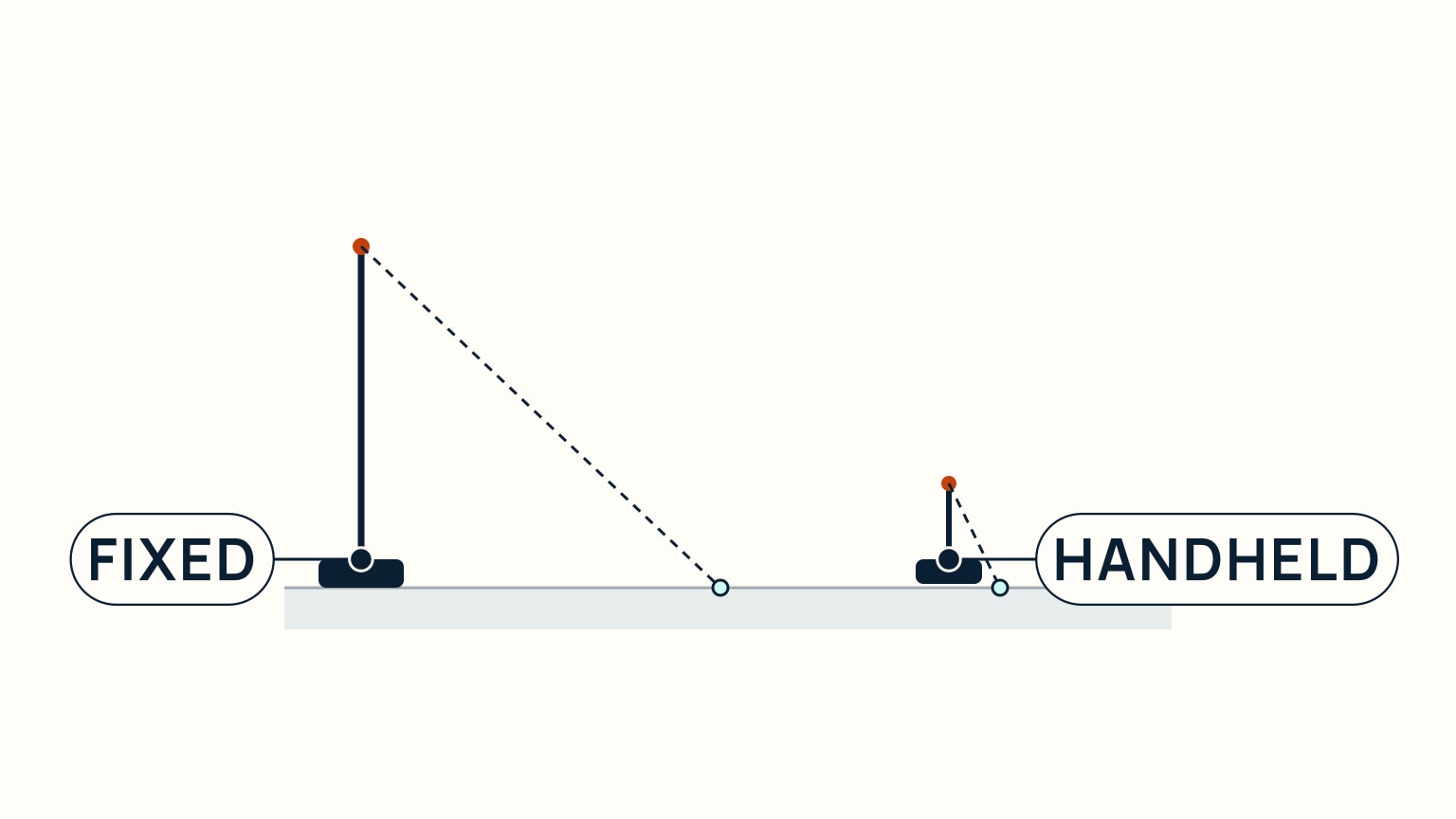
VHF signals travel line of sight, so how far your call reaches depends mainly on antenna height, not how many watts you are pushing. A fixed set wired to a masthead antenna sees a much farther horizon than a handheld's short antenna, which is the real reason a fixed set out-ranges a handheld even at similar power. Don't expect a stronger radio alone to fix a short-range problem. A taller antenna does more for you than more watts do. Whenever your radio is on and you are underway, leave it tuned to channel 16; that is the channel everyone else with a set on is listening to, and it is how you would hear a nearby hailing or distress call in the first place. One more thing before you rely on a VHF radio: who is allowed to operate one, and under what licence, is decided by each country individually and genuinely varies. Check your own country's current requirements rather than assuming these steps are the whole story.
A Worked Example: Estimating Your Own Horizon
You can put a rough number on your own range without any special tool. Take the square root of your antenna's height above the water in feet, then multiply by 1.42; the result is roughly your station's range in nautical miles to the horizon. A masthead antenna around 40 feet up works out to a horizon of roughly 9 nautical miles for your station alone. A shore station or another boat with its own antenna higher up adds its own horizon the same way, and the two figures together give you the theoretical two-way range between you. This is why a modest antenna mounted high on a mast reliably outperforms a stronger radio mounted low: the same math that gives a tall antenna on a hill or a ship a horizon of many miles gives a low antenna at sea level only a fraction of that, no matter how many watts sit behind it.
The Habit That Closes the Loop
Channel 16 only works as a safety net if everyone returns to it. After you finish a working conversation on another channel, switch back to 16 rather than leaving the dial where the last call left it; the expectation is that a set stays on 16 whenever it is on and not actively being used to communicate on another frequency. A radio quietly left on a working channel is a radio that will not hear the next call meant for it. If you want to go further into what channel 16 is really for and how a hailing call moves off it, channel 16 explained covers that next step, and SailStarter's guides on making a Mayday call and Pan-Pan versus Mayday cover what the radio is for when something actually goes wrong.
Turning on a VHF set, taming squelch, keying the mic cleanly, and matching power to distance are the physical habits that make the radio actually useful. The rest is practice. None of it requires special equipment, just knowing what each control is for and using it the way it was designed to be used. If you want to build on these fundamentals (what to say once you key up, how a hailing call moves from channel 16 to a working channel, and what channel 16 is really listening for), SailStarter's Module 9 lessons walk through marine communication one habit at a time, starting with the radio itself. Spend a few minutes there and the controls on a real VHF set will already feel familiar the first time your hand is actually on one.
Try it from the lesson
Can you spot the next move?
What's the nine-digit number a DSC radio sends to identify your boat in a distress alert?
Why you can trust this guide
. We build each guide from public seamanship and safety sources, then teach the universal principle before any local difference.